




Speed up the Adobe Reader loading time
Adobe Reader SpeedUp is capable of accelerating the speed with which files are loaded in both Adobe Reader and Adobe Acrobat. You have probably wondered why PDF files take so long to open. The main reason is that Adobe Reader loads plug-ins that aren't strictly necessary to view the files. Adobe Reader SpeedUp reduces the time needed to load a file by deactivating the plug-ins that aren't necessary.
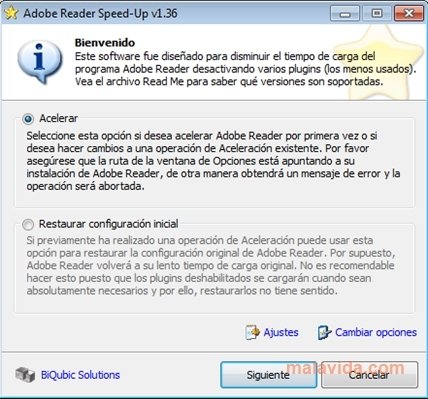
If you have Adobe Reader or Acrobat installed, the application will automatically detect it. If for some reasons it doesn't, you will have to indicate the program's path. After that, you will only have to indicate the speed that you want: fast, turbo or slow. Depending on what you choose, Adobe Reader SpeedUp will take care of disabling whichever plug-ins are necessary to improve the loading speed.
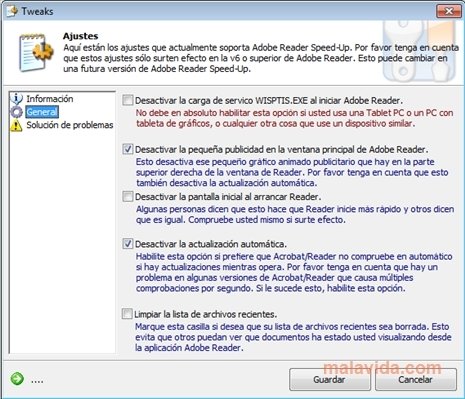
Adobe Reader SpeedUp also allows you to configure some options to improve its performance:
- Deactivate the Adobe Reader logo that appears when you launch the program.
- Deactivate the publicity from the main window.
- Clean the recent files list.
- Deactivate the automatic update function.
Try Adobe Reader SpeedUp and manage to increase the loading speed of PDF files.
 Leticia Sorivella
My name is Leticia. I really like movies, television, and music. That is why I studied Audiovisual Communication. In the beginning, I wanted to work in movies, but I ended up on television. Then, I went from being behind the cameras to being in...

Antony Peel